
Are eSignatures Safe for Confidential Documents?


When a business executive signs a non-disclosure agreement, a healthcare provider processes a patient consent form, or a law firm sends a merger contract for review, one question comes up before any button is clicked: is this actually safe?
The short answer is yes. Electronic signatures are safe for confidential documents, but that safety is not automatic. It depends entirely on the platform being used, the security features it has in place, and whether the workflow follows recognized compliance standards.
This guide breaks down exactly how eSignature security works, what to look for when handling sensitive documents, and the mistakes that leave organizations exposed.
What Counts as a Confidential Document?
Not every document carries the same level of sensitivity, but many of the documents that businesses sign digitally every day fall into the confidential category.
Common Types of Confidential Documents
Confidential documents span nearly every industry and function. The most commonly eSigned sensitive documents include non-disclosure agreements (NDAs), employment contracts, patient consent forms, financial agreements, real estate contracts, legal filings, vendor contracts, shareholder agreements, and healthcare records. Each of these documents contains information that, if accessed by the wrong party or altered without detection, could create serious legal, financial, or reputational consequences.
Why These Documents Need Stronger Protection
The stakes are different for confidential documents. A standard delivery receipt signed electronically carries minimal risk. A signed NDA between two companies in an acquisition deal, on the other hand, could expose trade secrets if the signing process is insecure. Healthcare records carry additional weight under privacy regulations like HIPAA in the United States and GDPR in Europe. Financial documents fall under audit requirements that demand tamper-proof records.
The good news is that modern eSignature platforms are built specifically to meet these demands.
How eSignatures Protect Confidential Documents

Several overlapping layers of protection make eSignatures not just as safe as wet signatures, but significantly more secure for confidential documents.
End-to-End Encryption
Every reputable eSignature platform encrypts documents both in transit and at rest. This means that when a confidential document travels from sender to signer, it is protected using protocols such as TLS 1.3. When it is stored on the platform's servers, it is encrypted using AES-256 or AES-128 encryption, the same standards used by financial institutions and government agencies. Without the correct decryption keys, the document is unreadable to anyone who intercepts it.
Identity Authentication and Verification
One of the key protections for confidential documents is confirming who is actually signing. eSignature platforms offer multiple authentication methods, including email-based access links, SMS one-time passcodes, knowledge-based authentication, government ID verification, and biometric checks. For high-stakes confidential documents, multi-factor authentication (MFA) can require a signer to verify their identity through two or more of these methods before accessing the document. This makes it far harder for unauthorized parties to impersonate a signer.
Tamper-Evident Seals
Once a confidential document is signed, a tamper-evident seal is applied using Public Key Infrastructure (PKI). PKI assigns a cryptographic digital fingerprint to the document at the moment of signing. If even a single character is changed after the signature is applied, the seal breaks and the alteration is immediately detectable. This gives legal and compliance teams irrefutable evidence that a document was not modified after signing.
Audit Trails and Certificates of Completion
Every action taken on a document leaves a recorded trace. A complete audit trail logs when each party was sent the document, when they viewed it, from which device and IP address, when they signed, and when the final executed version was sent to all parties. This audit trail is bundled into a certificate of completion that can be used as court-admissible evidence in the event of a dispute. For confidential documents, this level of documentation is often required under regulatory frameworks.
eSignatures vs. Traditional Signatures for Confidential Documents
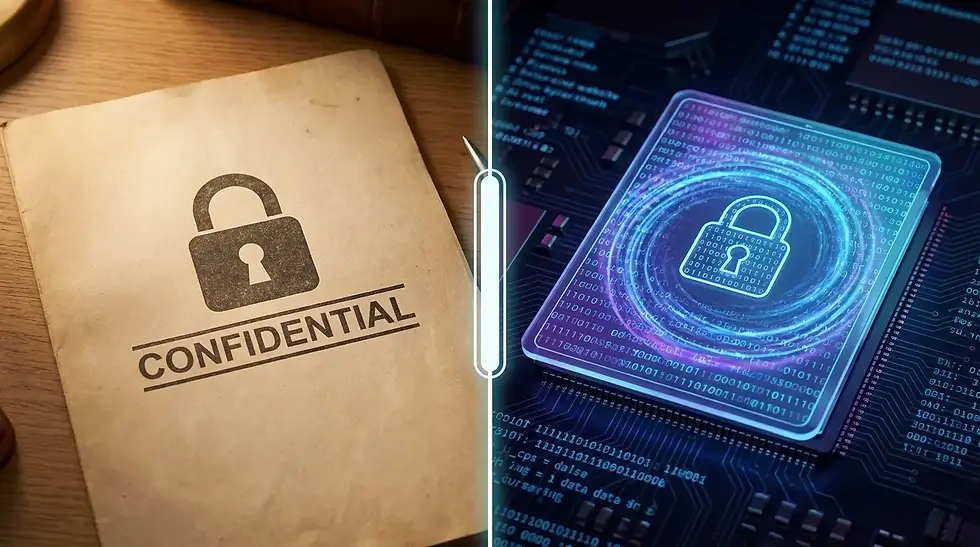
Many organizations still believe that printing, signing, and scanning a document is the safer approach for sensitive material. The data tells a different story.
Security Feature | eSignature | Traditional (Wet) Signature |
Identity Verification | MFA, biometrics, email authentication | Visual comparison only |
Tamper Detection | Cryptographic seals detect any changes | Undetectable unless forensic analysis used |
Audit Trail | Automatic with timestamps and IP data | Manual record-keeping, easily lost |
Document Storage | Encrypted at rest with access controls | Physical storage vulnerable to loss, theft, fire |
Forgery Resistance | Cryptographically secured, tied to verified identity | Can be forged with basic tools |
Legal Compliance | Meets ESIGN, UETA, eIDAS, HIPAA, GDPR requirements | Requires notarization for some legal disputes |
Access Control | Role-based permissions, time-limited access | No access control once document is printed |
Traditional signatures are universal but offer almost no security features for confidential documents. eSignatures, when implemented on a compliant platform, provide layers of protection that paper simply cannot match.
The Three Types of eSignatures and When to Use Each

Not all eSignatures carry the same legal or security weight. Choosing the right type for a confidential document makes a significant difference.
Simple Electronic Signatures (SES)
A simple electronic signature includes a typed name, a checked box, or a basic click-to-agree action. SES is suitable for low-risk agreements and internal approvals but is not recommended for highly confidential documents that require strong identity verification. The security level is limited because there is minimal identity confirmation attached to the signature.
Advanced Electronic Signatures (AES)
An advanced electronic signature is uniquely linked to the signer and capable of identifying them. It uses data that the signer controls exclusively and can detect whether the document has been tampered with after signing. AES is the appropriate choice for most business confidential documents, including employment contracts, vendor agreements, and NDAs.
Qualified Electronic Signatures (QES)
A qualified electronic signature offers the highest legal and technical assurance available. It requires a verified digital identity issued by a qualified trust service provider and meets the strictest requirements under the EU's eIDAS regulation. QES is required for certain categories of confidential documents in regulated industries across Europe and is increasingly recognized in other jurisdictions for its gold-standard security. For highly sensitive legal filings, financial instruments, and cross-border agreements, QES provides the strongest protection available.
Industry-Specific Requirements for Confidential Document Signing

Different industries have specific compliance obligations that shape how confidential documents must be signed and stored.
Healthcare and HIPAA
In the United States, the Health Insurance Portability and Accountability Act (HIPAA) governs how healthcare organizations handle protected health information (PHI). When using eSignatures on patient consent forms, medical records, or treatment authorizations, the platform must provide access controls, encryption, audit logs, and a Business Associate Agreement (BAA). Using a non-HIPAA-compliant platform to sign healthcare documents is not just a security risk; it is a regulatory violation that can result in significant fines.
Legal and Finance Under SOC 2 and eIDAS
Legal and financial organizations frequently handle confidential agreements, transaction records, and regulatory filings. SOC 2 Type II certification demonstrates that a platform's security controls have been independently audited and found to operate effectively over time. For organizations operating in or with parties in the European Union, eIDAS sets the legal framework for electronic signatures and requires specific compliance standards depending on the level of signature used.
Choosing a platform that holds both SOC 2 and eIDAS compliance gives legal and financial teams the assurance that confidential documents are processed to the highest international standards.
Human Resources and GDPR
HR departments handle employment contracts, performance reviews, termination letters, and compensation agreements, all of which contain personal data subject to the EU's General Data Protection Regulation (GDPR) and various US state privacy laws. An eSignature platform used for HR confidential documents must process and store personal data lawfully, minimize data retention, and provide employees with rights over their information. GDPR-compliant eSignature platforms include data processing agreements, region-specific data storage options, and privacy-by-design architecture.
Security Features to Look for in an eSignature Platform
When choosing an eSignature platform for confidential documents, evaluate it against this checklist:
Encryption
AES-256 or AES-128 encryption for documents at rest
TLS 1.3 for documents in transit
Clear key management practices
Authentication
Multi-factor authentication (MFA) options
SMS, email, and authenticator app verification
Biometric or knowledge-based authentication for high-sensitivity documents
Compliance Certifications
SOC 2 Type II
ISO 27001
HIPAA compliance with BAA availability (for healthcare)
GDPR compliance with data processing agreement
FedRAMP authorization (for government use cases)
eIDAS compliance (for European or cross-border transactions)
Document Integrity
PKI-based tamper-evident seals
Certificate of completion with full audit trail
Immutable audit logs
Access Controls
Role-based permissions
Time-limited signing links
Document expiration settings
Restricted viewing based on signer role
Infrastructure Security
Regular third-party penetration testing
Data residency options
Redundant backup and disaster recovery systems
Common Mistakes Businesses Make When Signing Confidential Documents
Even with a secure platform, organizations can introduce risk through poor practices.
Using personal email for document delivery: Sending confidential documents through personal Gmail or Outlook accounts bypasses the authentication and tracking features of an eSignature platform entirely.
Skipping identity verification: Choosing a simple click-to-sign option for a highly sensitive document reduces the legal strength of the signature and increases the risk of identity fraud.
Ignoring platform compliance requirements: Using a consumer-grade eSignature tool for HIPAA-regulated healthcare documents or GDPR-covered HR records creates regulatory exposure regardless of how the signing process looks.
Storing signed documents locally: Downloading signed confidential documents to unencrypted local drives removes the access controls and audit capabilities of the platform.
Failing to set document expiration: Leaving signing links active indefinitely increases the window of opportunity for unauthorized access.
Red Flags in an eSignature Platform
Before trusting a platform with confidential documents, watch for these warning signs:
No publicly listed compliance certifications: Legitimate platforms publish their SOC 2, ISO 27001, or HIPAA status openly. If you cannot find these, the platform likely does not have them.
No mention of audit trails or certificates of completion: These are non-negotiable for confidential documents.
Data stored in unknown or non-compliant regions: If the platform cannot confirm where your data is stored, it cannot guarantee that storage meets your regulatory requirements.
No MFA options: A platform that only uses email-based access links without MFA is insufficient for confidential document workflows.
Vague or absent privacy policy: A legitimate eSignature platform will have a clear, detailed privacy policy explaining exactly how document data is handled and retained.
Best Practices for Using eSignatures on Confidential Documents
Following these practices maximizes the security of your confidential document signing workflows:
Match the signature type to the document sensitivity: Use AES for standard confidential business documents and QES for highly regulated or legally critical agreements.
Enable multi-factor authentication for every confidential signing: This is the single most effective step to prevent identity fraud in the signing process.
Choose a platform with industry-specific compliance: Verify that your eSignature platform holds the certifications required for your industry before using it for sensitive documents.
Set document access controls: Restrict who can view, sign, and download a document to only the parties who need that access.
Review the audit trail after signing: Confirming that the audit trail is complete and matches expectations adds a final layer of assurance for high-value confidential documents.
Keep signed documents on the platform: Avoid downloading and storing confidential signed documents outside the platform's encrypted environment unless you have equivalent security controls in place.
Review your platform's BAA or DPA: For healthcare and HR documents, confirm that a Business Associate Agreement or Data Processing Agreement is in place before sending any sensitive files.
Frequently Asked Questions
Are eSignatures legally valid for confidential documents?
Yes. In the United States, the ESIGN Act and UETA give electronic signatures the same legal standing as handwritten signatures, including for confidential agreements. In the EU, eIDAS governs the legal validity of eSignatures across member states. Most other major jurisdictions have equivalent laws in place.
Can an eSignature on a confidential document be forged?
On a properly secured platform, it is extremely difficult to forge an eSignature. Signatures are tied to verified identities, encrypted with PKI, and backed by a tamper-evident seal. Any attempt to alter the document or replicate the signature invalidates the seal and is detectable.
What is the most secure type of eSignature for confidential documents?
Qualified Electronic Signatures (QES) offer the highest level of legal and technical assurance. They require verified digital identities and are backed by qualified trust service providers. For most confidential business documents, Advanced Electronic Signatures (AES) provide strong security that meets legal requirements.
Do eSignatures comply with HIPAA for medical records?
Yes, eSignatures can comply with HIPAA, but only when used on a platform that provides the required access controls, encryption, audit logging, and has signed a Business Associate Agreement (BAA) with your organization.
What happens if an eSignature platform is breached?
Documents stored with AES-256 encryption remain protected even if a platform is breached, because the data is unreadable without the correct decryption keys. The audit trail also ensures that any unauthorized access is recorded. Always choose a platform that conducts regular third-party security audits and provides transparent breach notification policies.
Are eSignatures safe for NDAs?
Yes. NDAs are one of the most common confidential documents signed electronically. With the right platform, an eSigned NDA is fully enforceable, tamper-proof, and supported by a complete audit trail that establishes when and how the agreement was executed.
Is it safe to use a free eSignature tool for confidential documents?
Most free eSignature tools lack the compliance certifications, MFA options, and audit trail capabilities required for confidential document handling. For sensitive documents, it is strongly recommended to use a paid platform with verified security credentials and industry-specific compliance.
How do I know if an eSignature platform is secure enough for confidential documents?
Look for SOC 2 Type II certification, AES-256 encryption, MFA options, PKI-based tamper-evident seals, a detailed privacy policy, and compliance with the regulations that apply to your industry (HIPAA, GDPR, eIDAS, etc.).
Are eSignatures the Right Choice for Your Confidential Documents?
The evidence is clear. When implemented correctly on a reputable, compliant platform, eSignatures offer a level of security for confidential documents that traditional paper-based signing simply cannot match. Encryption, identity authentication, tamper-evident seals, and complete audit trails combine to create a signing process that is both legally robust and highly resistant to fraud.
The key is choosing a platform that meets the specific compliance requirements of your industry, enabling the right level of authentication for the sensitivity of each document, and following the security best practices that remove the risk of human error from the equation.
For legal teams, HR departments, healthcare organizations, and financial institutions, the question is no longer whether eSignatures are safe for confidential documents. The question is whether your current signing process is secure enough.


Comments